Hundreds of classic games in your palm
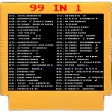
Classic Games 90s is a free 8-bit gaming app pre-loaded with hundreds of classic games from the 80’s and 90’s. It features popular titles from gaming consoles at the time — such as the original Donkey Kong, Super Mario, and Arkanoid. The game’s UI replicates the menu of an old SNES one.
Top Recommended Alternative

Classic Games 90s offers a comprehensive catalog of titles — ranging from action, adventure, sports, and many more. The app acts as an emulation tool to play any classic games from the get-go. You can also skip through multiple levels per game, and the controls adjust automatically depending on what you’re playing.
Nostalgic games to play
Classic Games 90s successfully ported hundreds of 8-bit arcade titles from the past 40 years and merged them into one gaming app. Open the app and select from a wide variety of categories and select from it. The controls are customizable depending on your play style, but the app itself will adjust accordingly. The soundtrack of each game is intact, now upscaled and remastered for rich and immersive gameplay.
The settings also offer you an option to switch to a display mode to prevent screen flickering, since these games aren’t designed for modern systems. It also offers quick save and loading game states, so you can just close and open it any time without losing any progress. One essential feature this app has is the emulation quality. You can adjust the video resolution of each game and in many aspect ratios.
While the game offers a smooth emulation experience, the same cannot be said concerning the controls. It’s true that it's customizable, but the haptics and response can be improved. Nonetheless, its 8-bit nature makes it a very light app to install, and works well even on older devices. It also requires little processing power to work, making it possible to play for longer without worrying about battery life.
A solid way to play classic games
Classic Games 90s is a good option if you wish to play games from the early days of consoles. It seamlessly integrates popular titles of time into one app, giving you access to play everything whatever you want. However, the haptics and controller response can be improved. Still, this app is the most convenient way to play all nostalgic games because of its large library and great modern upscaling options.